 Servflow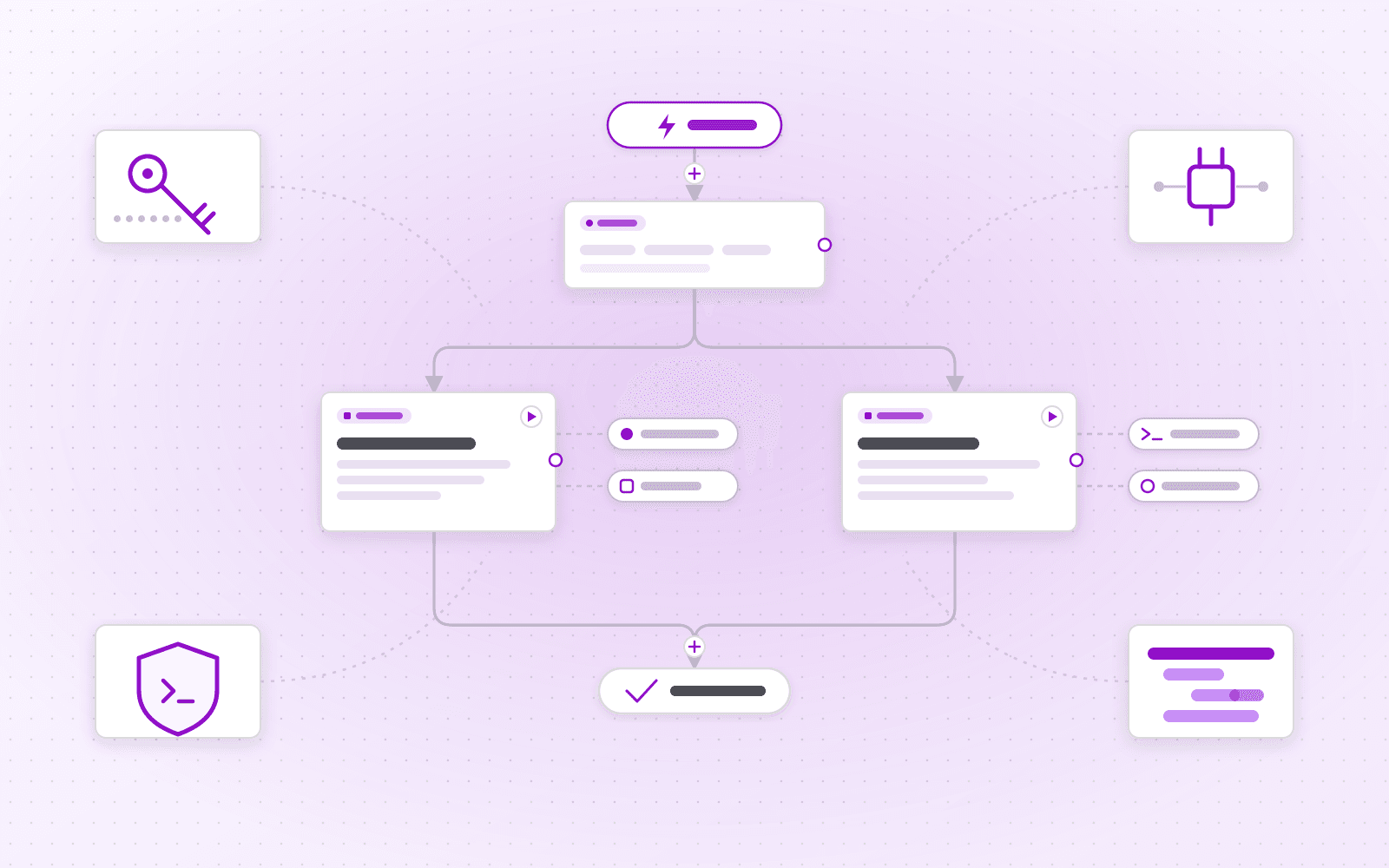
 Servflow Team
Agents are first-class
Agents are now the thing you build, version and deploy. An agent is made of entries (HTTP, cron, webhooks, GitHub, Gitea, Telegram or Discord), context groups that fetch before the model runs, sub-agents with their own provider, prompts and tools, and a final response.
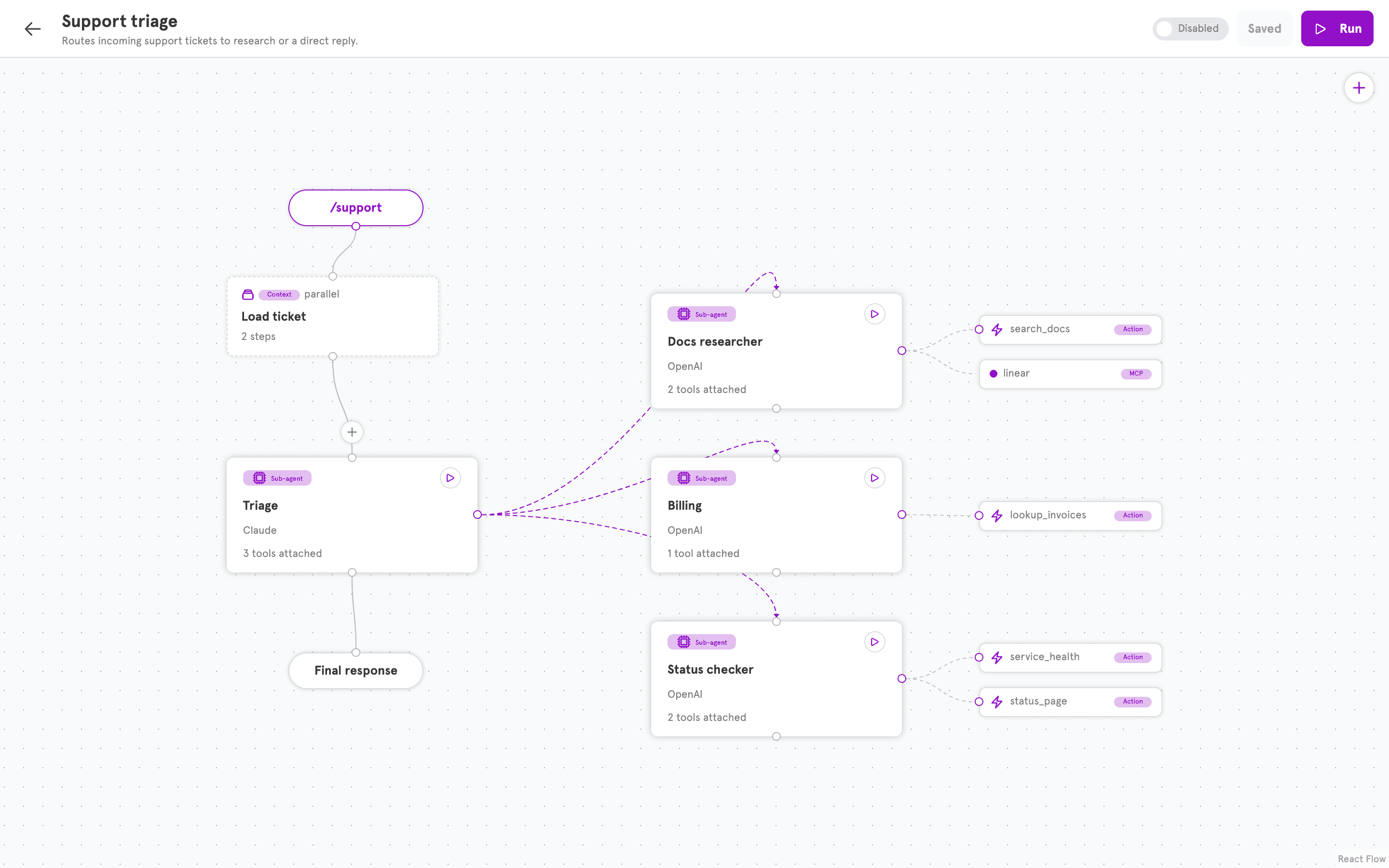
Every agent has two views: the canvas, and the same agent as YAML. Export it, check it into git, review it in a pull request, and create it from the CLI.
servflowai resource agent create -f agent.yaml
name: Support triage
config:
  entries:
    - type: handler
      handler: github
      start: agent.classifier
  agents:
    classifier:
      providerID: 1
      systemPrompt: Label the issue.
      next: agent.researcher
    researcher:
      providerID: 2
      tools: [web_search, http, github_mcp]
      next: agent.responder
    responder:
      providerID: 1
      next: end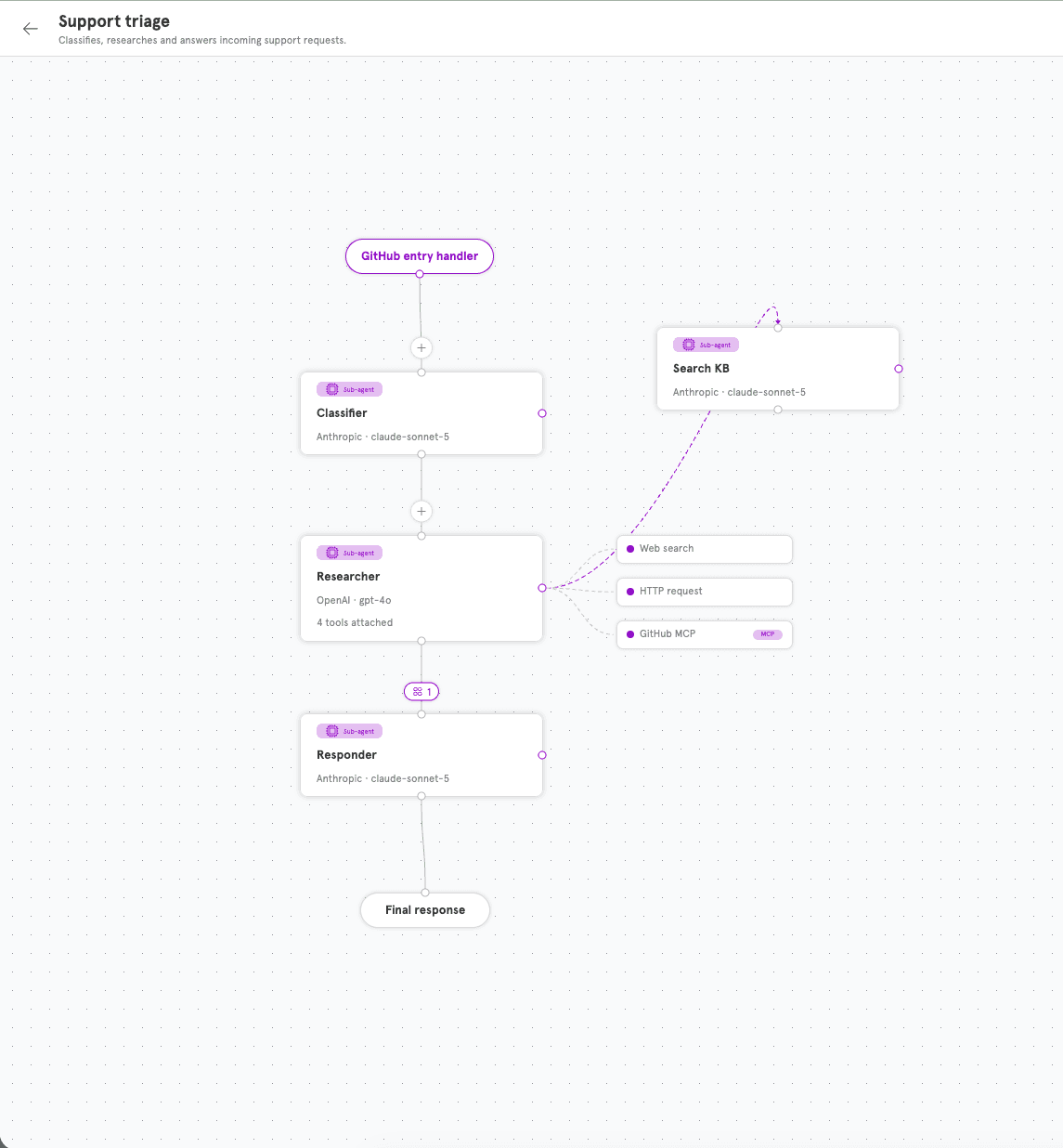
Agent Studio
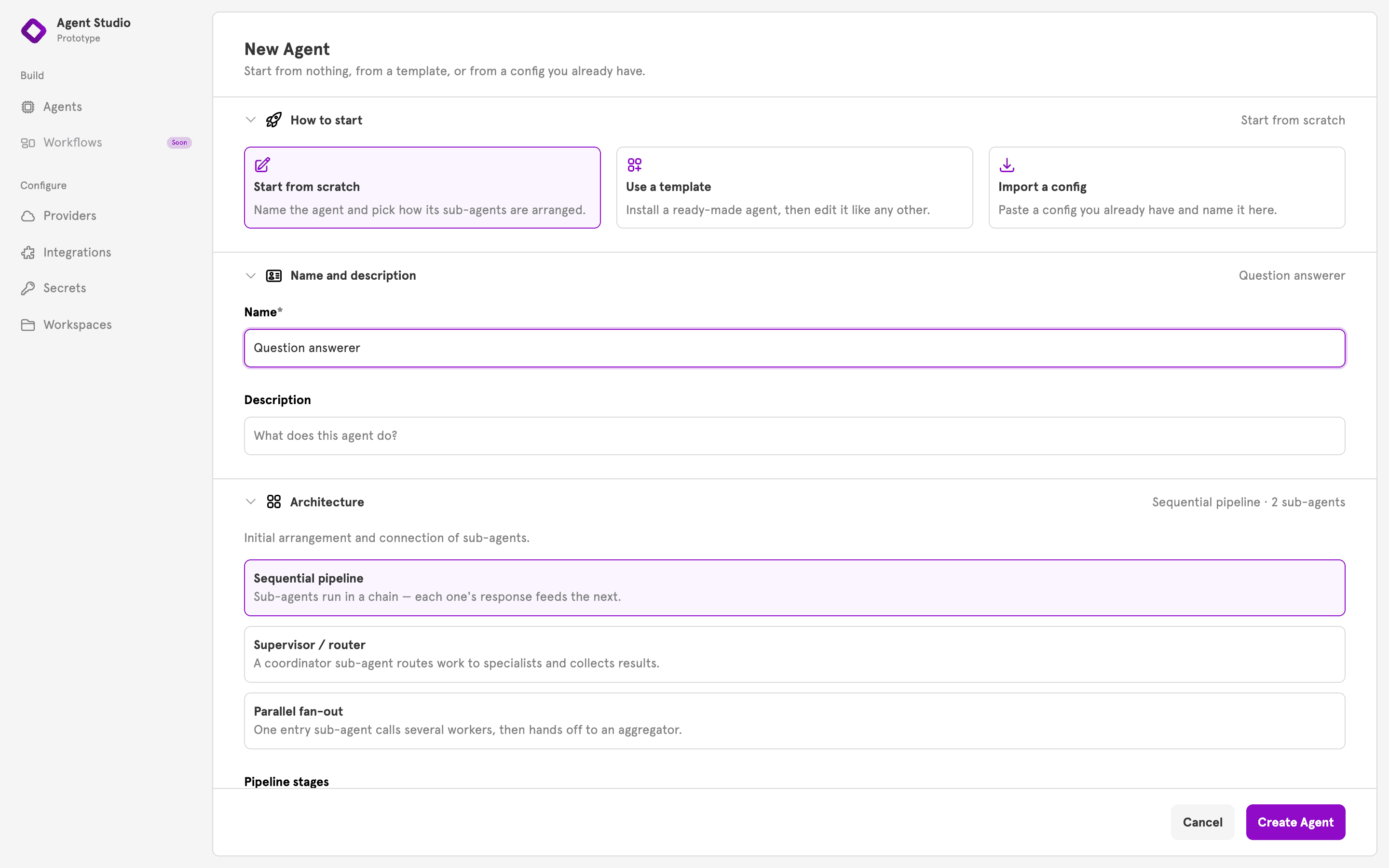
Agent Studio is the new editor, and the fastest way to get an agent running. Start from scratch, a template, or an imported config, then pick an architecture: single agent, sequential pipeline, supervisor, or parallel fan-out. The canvas is scaffolded for you.
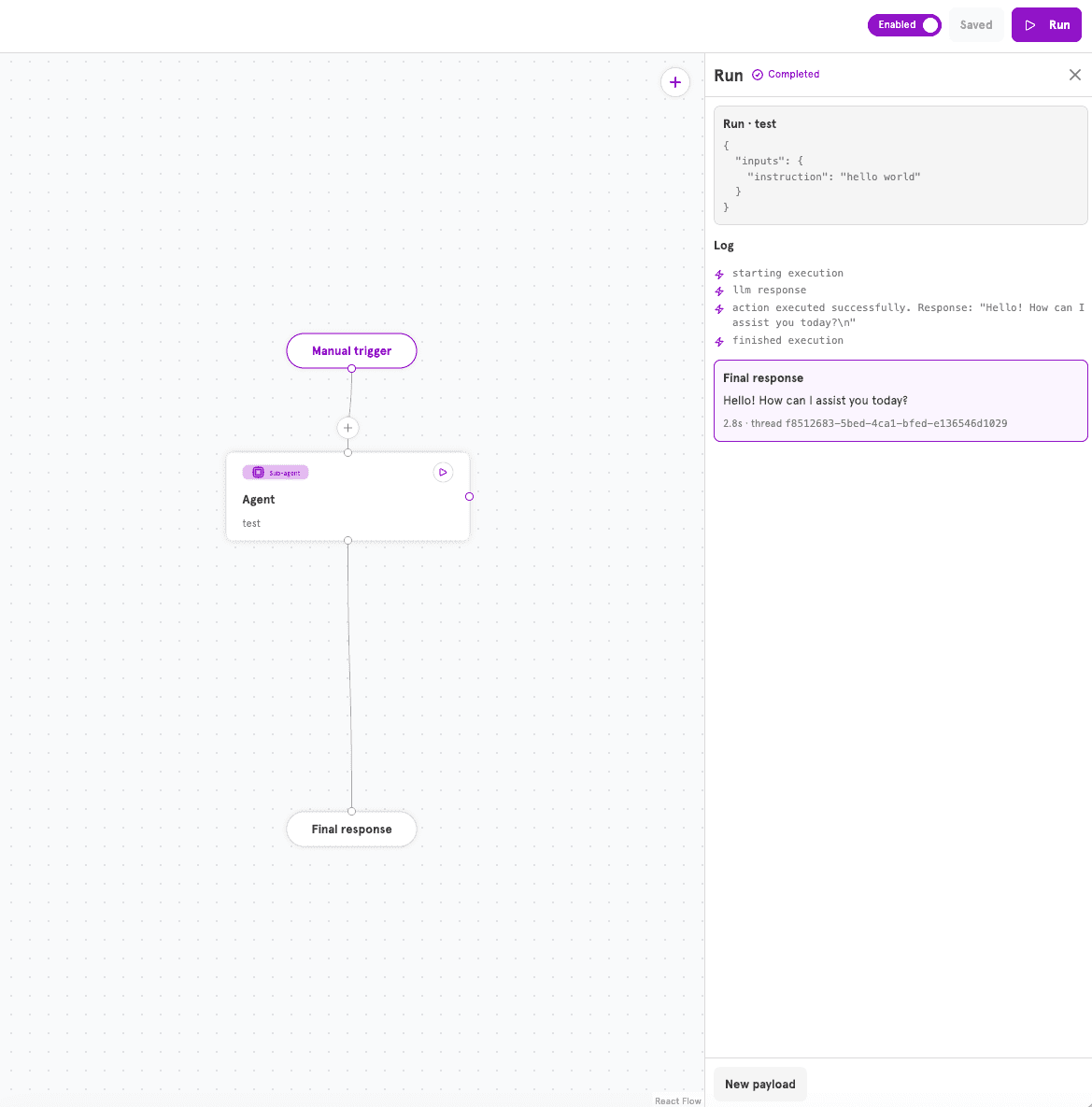
And you run it where you built it. The run panel streams the log, the final response and the time it took.
Tools
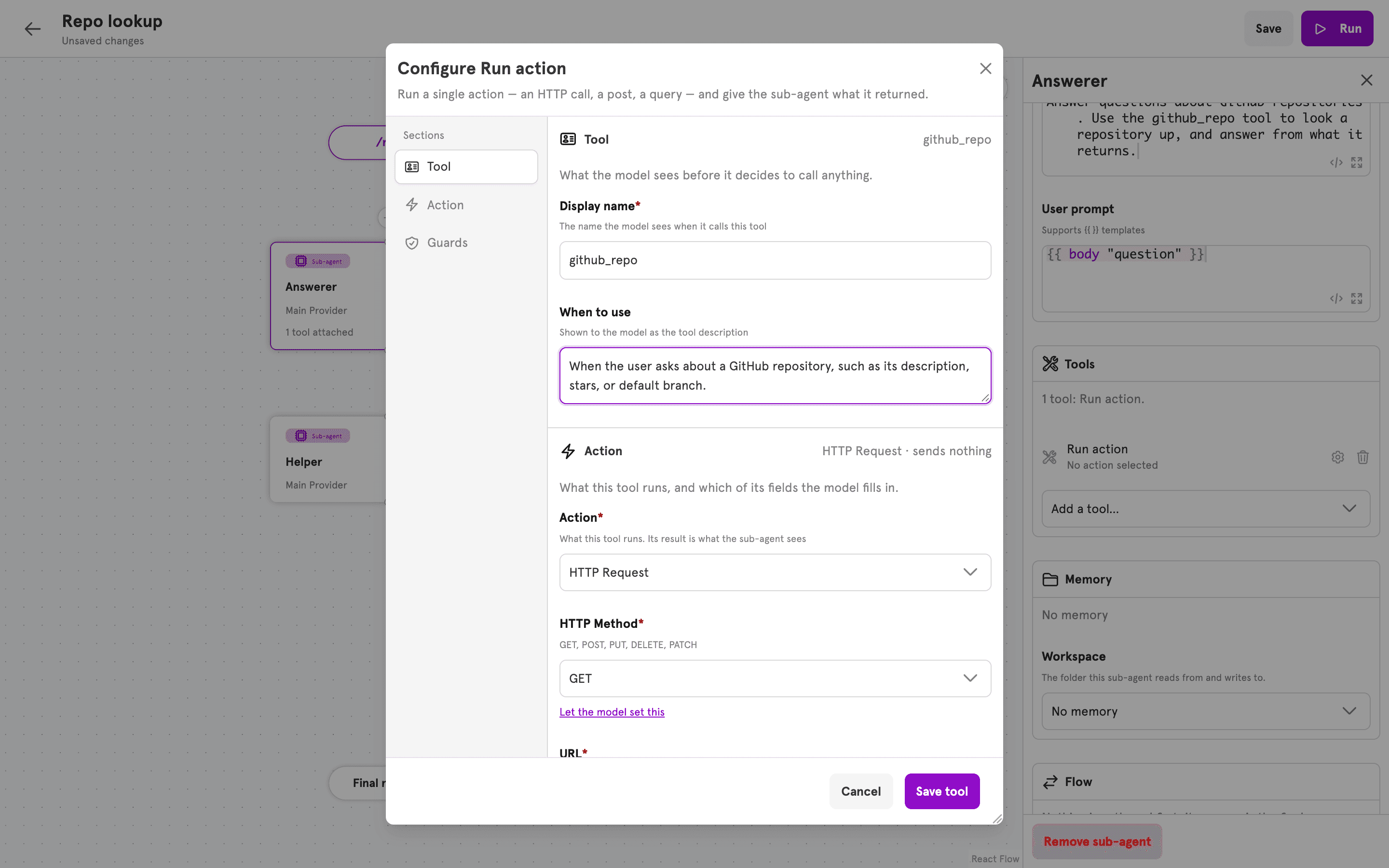
Everything is a tool. 40+ built-in actions, any MCP server, another sub-agent, or a task handed to a different agent, all attached the same way.
Guards
Guards decide, per request, whether a tool is allowed. Put a condition on a tool and it is checked before every call: who sent the message, where it came from, what it contained. A guard never looks at what the model said, so there is nothing the model can be talked into saying to get past it.
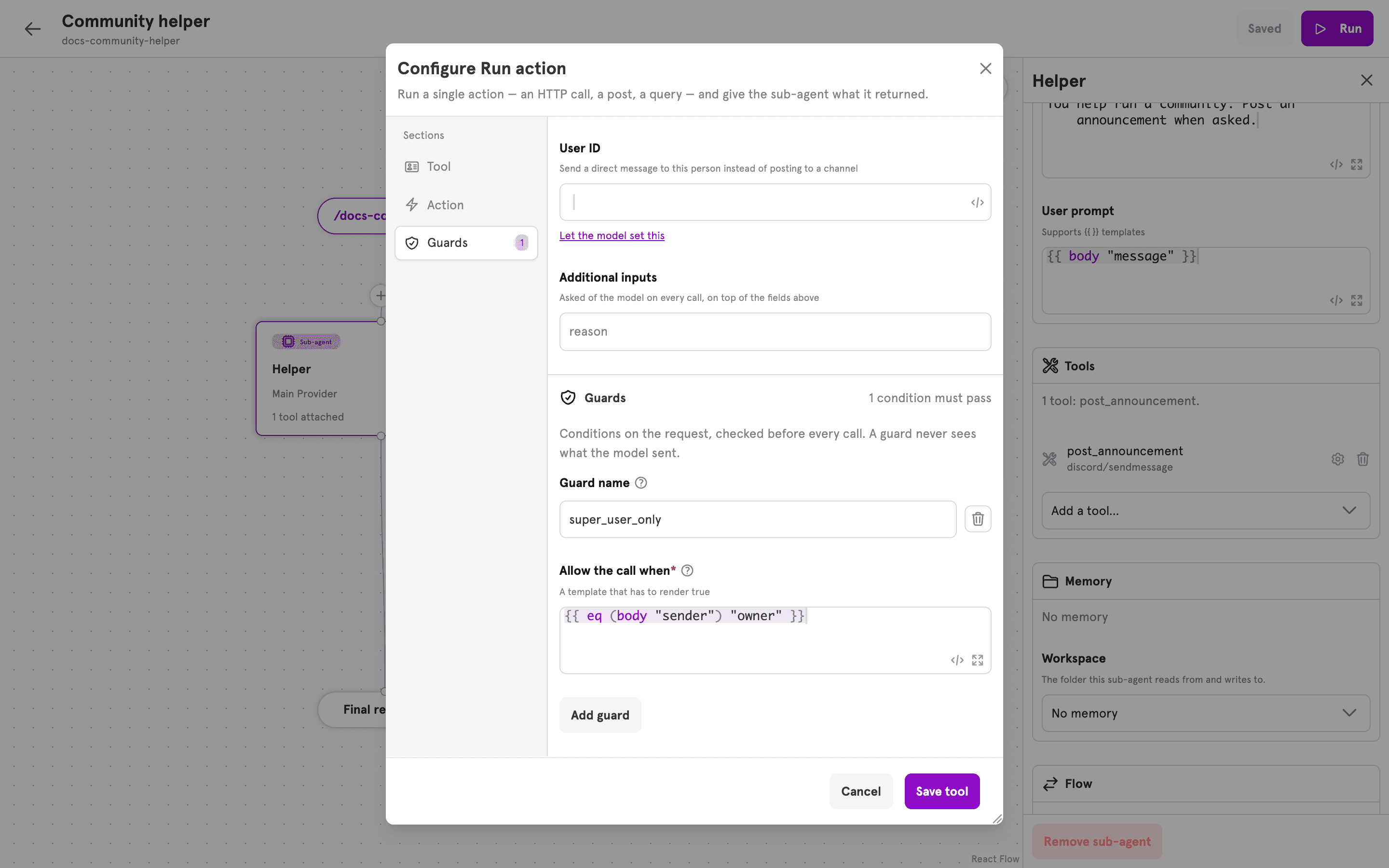
When a guard says no, the tool does not run, the agent is told which guard stopped it, and the refusal shows up in the run log.
Shell access
Agents can now run shell scripts, as a tool or as a context step. Each run gets its own folder, deleted afterwards, with no access to the server's files, database or config.
Two modes: Docker, one container per request with no network and memory and CPU limits, or native, the same kind of operating-system restrictions Claude Code uses, with bubblewrap on Linux and Seatbelt on macOS. There is no unconfined fallback.
[shell]
engine = "docker"      # or "native"
timeout = "60s"
Script environment variables come from secrets or integration tokens, set by you, never by the model.
Integrations
Integrations connect ServFlow to the services your agents work with: Discord, Telegram, GitHub, Gitea, Notion, MongoDB, SQL, Qdrant, Chromium and Binance. Set one up once under an id, and every tool, action, entry or context step that needs that service uses it by name.
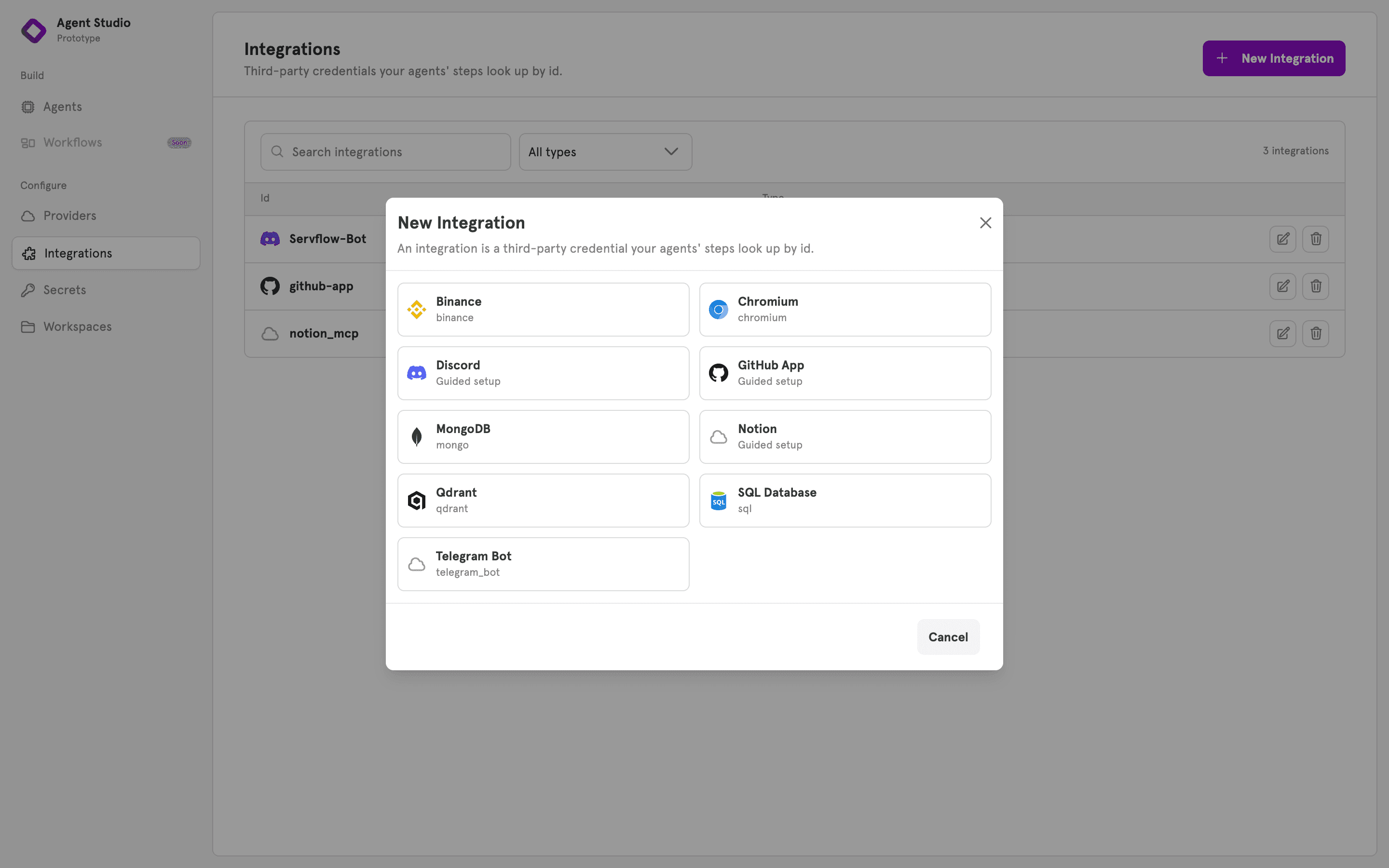
The integration is the identity. A Discord integration is the bot your agent speaks as. A GitHub App integration is the app that comments on the pull request.
Model providers stay separate. Bring your own key for Anthropic, OpenAI, OpenRouter, Qwen or any OpenAI-compatible endpoint, and swap providers on a sub-agent without touching anything else.
OAuth and in-browser authorization
Some services sign in rather than hand you a token. For those, create the integration, click Connect, approve in the browser, and it is ready.
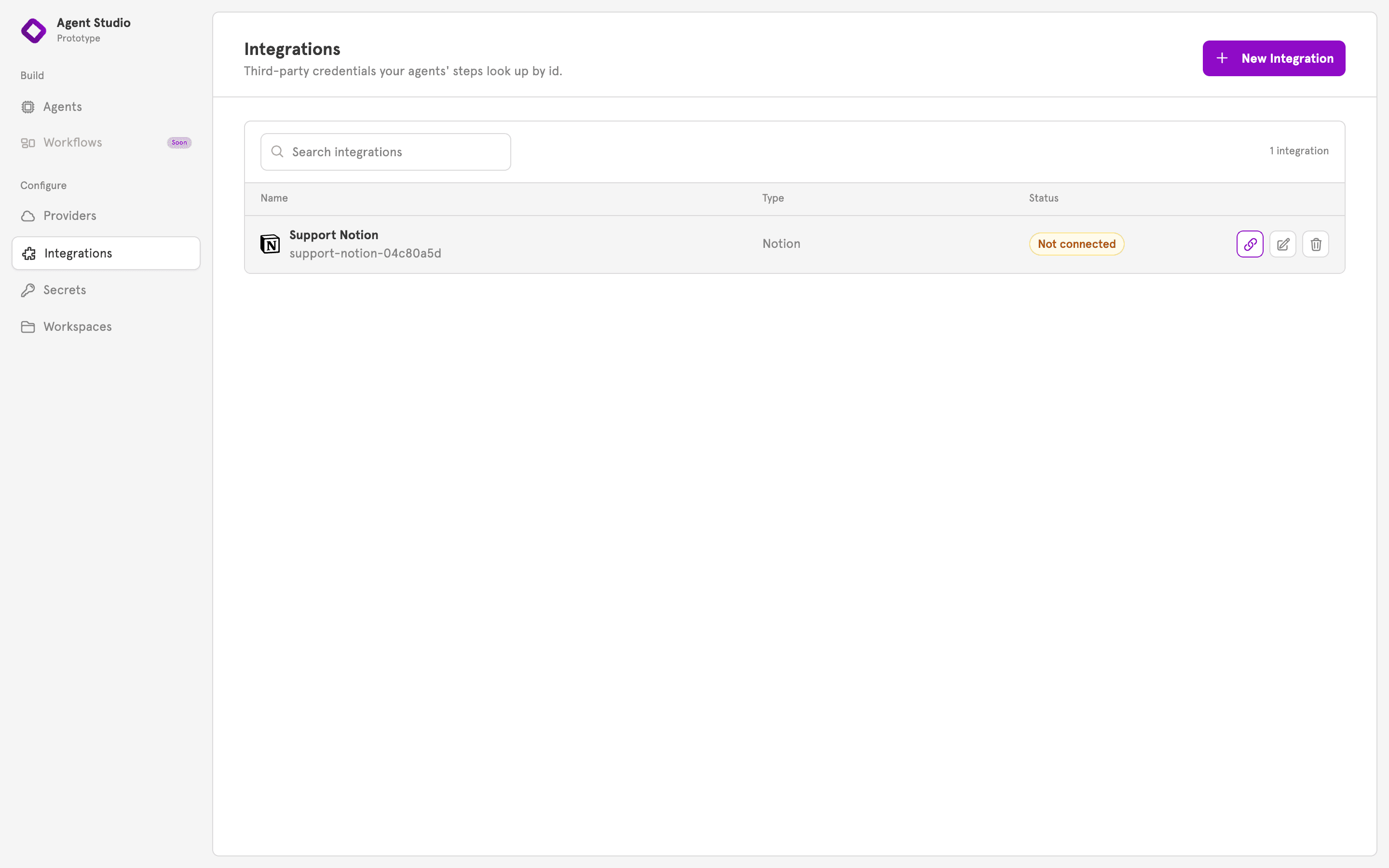
Notion is first, Google is next. Each integration has its own connection, so two Notion workspaces are two integrations, and tokens refresh on their own.
Tracing
Every request now carries a trace: the agent call, each model call with its tokens, and each tool call with its timing. Nothing to instrument.
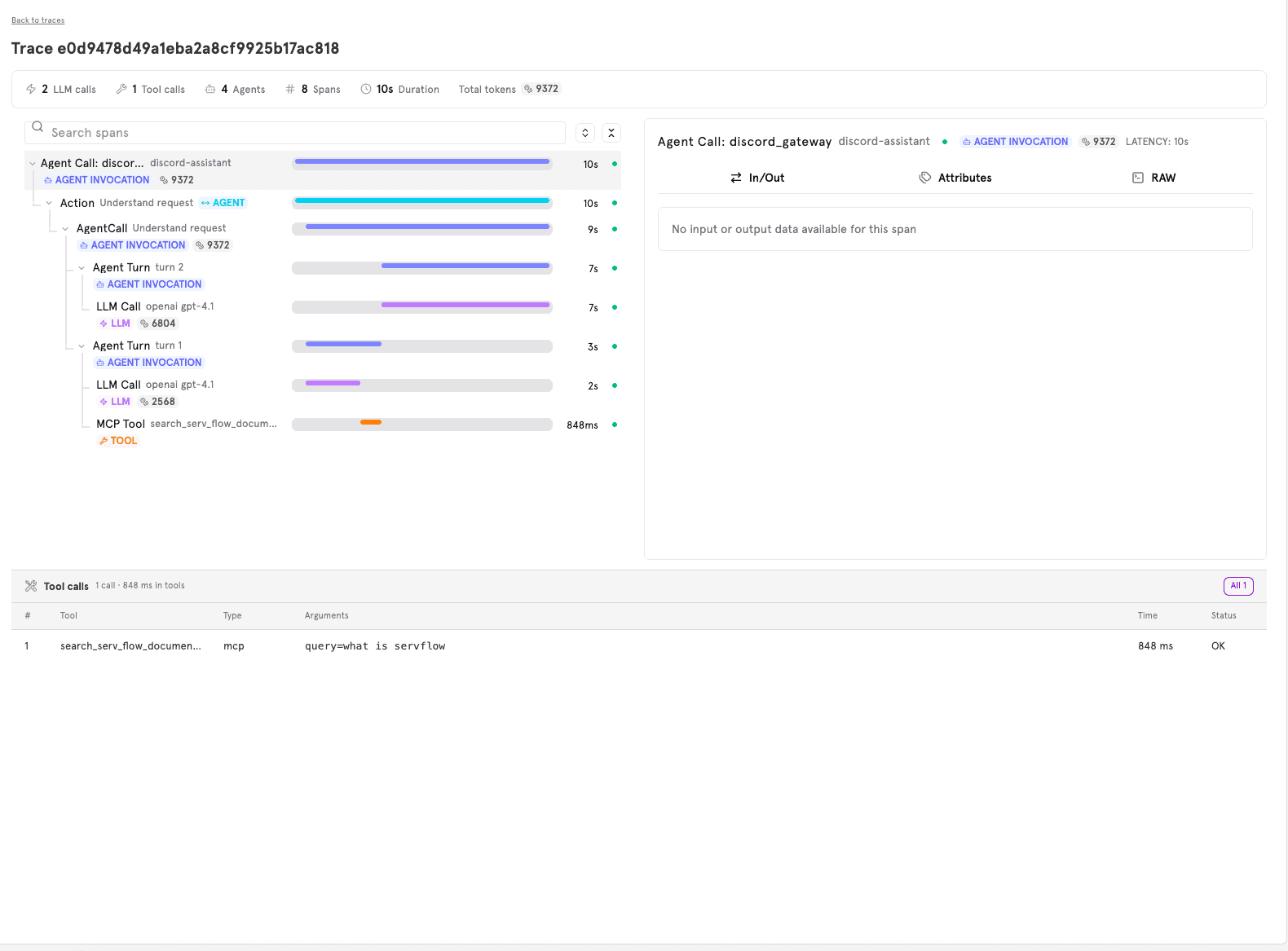
Open any run on ServFlow cloud, filter and search across runs, and inspect every tool call. Self-hosted instances report to the cloud with a token, so the view is the same wherever the agent runs.
Other features
Workspaces
Workspaces give agents files. Attach a workspace to a sub-agent and it can read, write and list files on its own, with read_memory, write_memory and list_memory built in.
One workspace can be shared by several sub-agents, or by several agents, so a scheduled agent can leave notes a chat agent picks up. Prompts can pull a file in directly with {{ file "name" }}.
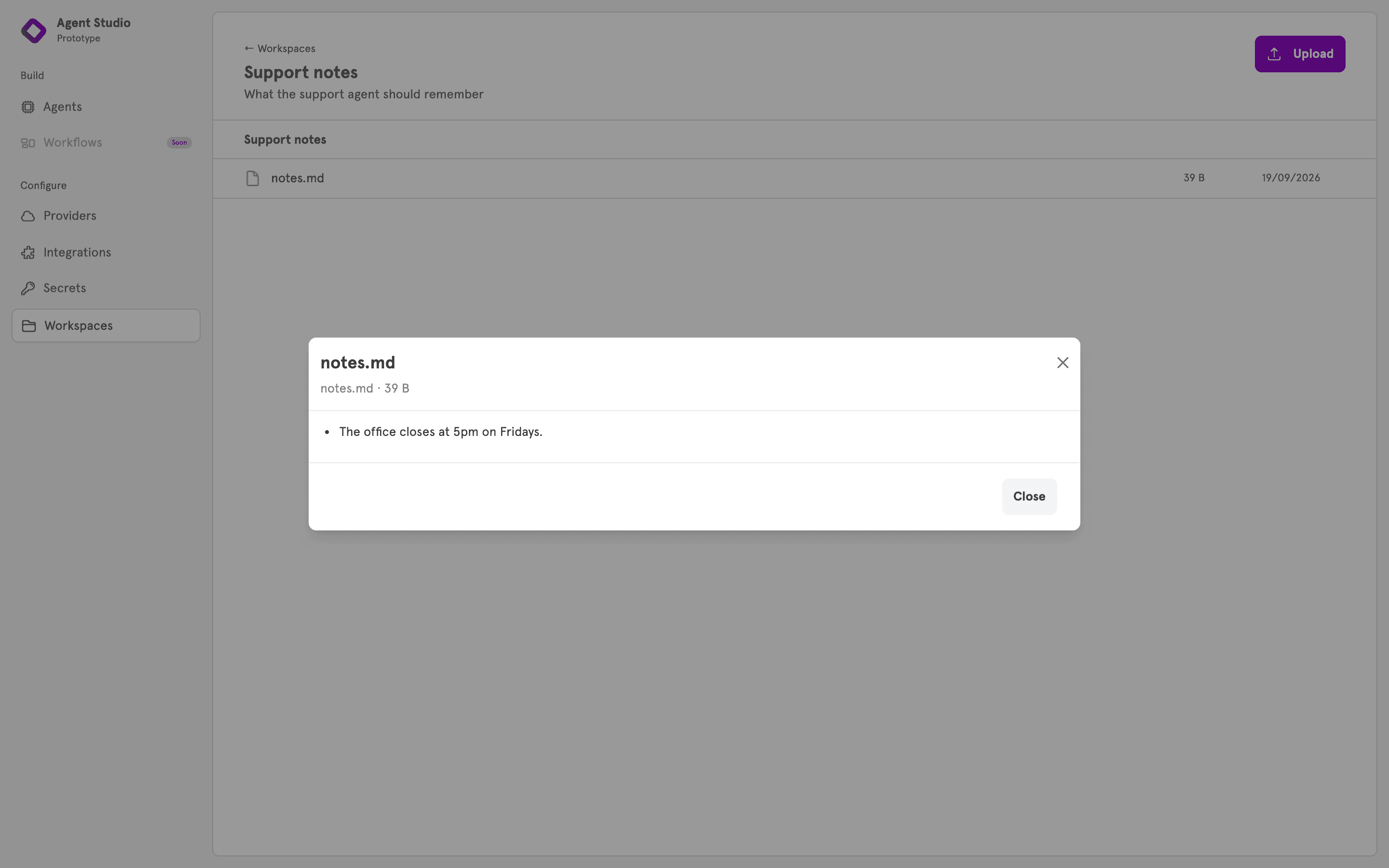
Upload, view and delete files from the dashboard, or from the CLI with resource workspace.
Secrets
Secrets are now first-class. Store a value once and reference it by name from any prompt, tool field or integration. It is never shown again, not even to you.
{{ secret "github_token" }}
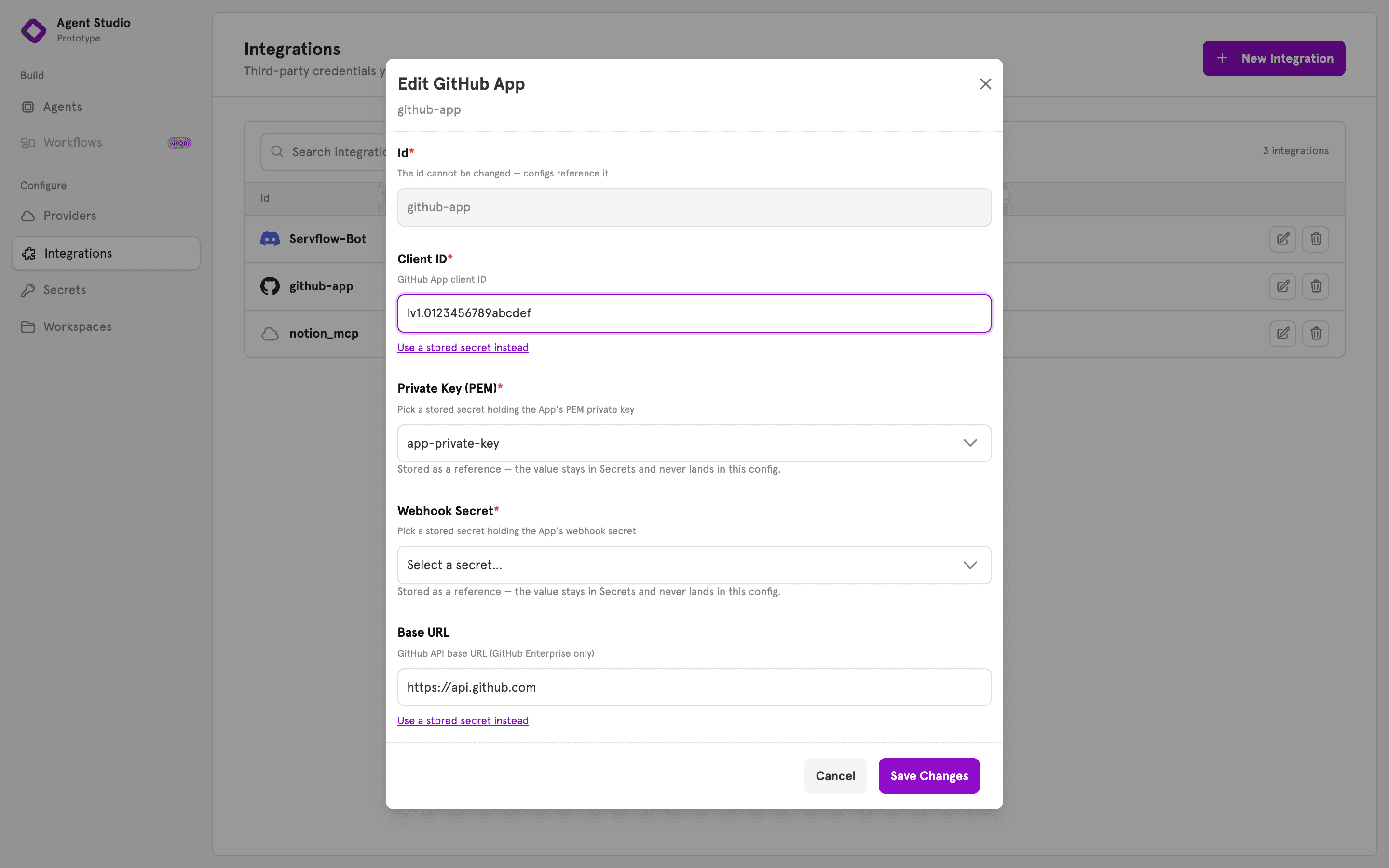
Self-hosting? Set an environment variable with the same name and ServFlow uses it instead. Either way, secrets never show up in traces or logs.
Get started
Create an account on ServFlow cloud and build your first agent in the browser.
Sign upPrefer to self-host? ServFlow is one binary with a SQLite file next to it. Install it with Homebrew, npm or Docker:
brew install servflow/tap/servflowai
# or
npx servflowai start --dashboard