 Servflow
 Kofo Okesola
I set up three automations on Zapier Professional, the ones a five-person team builds first: inbox triage, a daily report to Slack and a brief before each meeting. Then I watched the task count. It moved faster than I expected, and the reason was always the same step: the AI one.
Zapier is the easiest automation tool there is, and it connects to more apps than anything else. This page is not about whether it works. It is about what it costs once the automations are useful enough to run every day.
What a task is
Zapier bills in tasks. A task is one action step that completes successfully. If a Zap has a trigger and three actions, a run that finishes is three tasks.
Some steps are free. Triggers, filters, paths and formatters do not count. Failed actions do not count either, so a broken Zap does not cost you anything but the work it did not do.
AI steps are where the count changes. An AI by Zapier step costs 1 task on the Standard model tier, 3 tasks on Advanced, which is the default, and 5 tasks on Premium. From 15 June 2026, tool calls inside an AI step add tasks at the same rate.
The plans, as listed on 2 November 2026:
| Plan | Price | Tasks a month |
|---|---|---|
| Free | $0 | 100 |
| Professional | $29.99 a month, or $19.99 a month billed annually | From 750 |
| Team | From $69 a month billed annually | 2,000 |
Professional has larger task tiers on the pricing page. Their price depends on the tier you pick, so I have left them out of the table.
A sample bill for one month
The same five-person team month I use on the per-run cost page, so the two pages agree. The step counts are my own estimates of how each Zap is built, with every AI step on the default Advanced tier at 3 tasks and no tool calls inside it.
| Automation | Steps that count | Tasks a run | Runs a month | Tasks a month |
|---|---|---|---|---|
| Inbox triage | AI step 3, Gmail draft 1, Discord or Slack message 1 | 5 | 300 | 1,500 |
| Daily report to Slack | Lookup 1, AI step 3, Slack message 1 | 5 | 22 | 110 |
| Meeting prep brief | Gmail search 1, Notion 1, AI step 3, Slack message 1 | 6 | 60 | 360 |
| Month | 382 | About 1,970 |
That is more than two and a half times the 750 tasks on Professional at $29.99 a month.
The Team plan from $69 a month billed annually has 2,000 tasks, which would just cover it with 30 to spare. The other route is a larger Professional task tier, whose price depends on the tier.
Where the bill jumps
Two things move a Zapier bill more than the number of runs.
AI steps. Three of the five or six tasks in each run above are the AI step. Switch that step to the Premium tier and it costs 5 tasks, which takes the month to about 2,734. Let the AI step call a tool, such as searching your inbox before it drafts, and from 15 June 2026 each call adds tasks at the same rate as the step. The model decides how many tools to call, so the same Zap can cost a different number of tasks on different runs.
Overage. When you pass the plan's task limit, one of two things happens. With pay-per-task on, Zapier keeps running your Zaps and bills the extra tasks at a higher per-task rate, which it shows only in your billing settings. There is a hard stop at three times the plan's task limit. With pay-per-task off, your Zaps stop.
Neither is a good surprise. One is a bill you did not plan for. The other is an inbox nobody triaged for a week.
Who should stay on Zapier
Stay if your Zaps move data and do not think. "When a form comes in, add a row and post to Slack" is three tasks at most, and on that kind of work Zapier is still the easiest tool to set up. Stay if you run under 750 tasks a month and Professional at $29.99 a month covers it; at that volume a move saves you little and costs you a rebuild. Stay if you depend on an app only Zapier connects to. It has the widest app list there is, and no alternative on this site matches it.
Look elsewhere if the task count is the number you check most, or if most of your tasks are AI steps.
The same month on Servflow
Servflow bills the run, not the step. Credits pay for the AI at what it costs us, plus 4 credits a run. 1 credit is $0.001. Each automation runs as one agent, and plans are $10, $25 and $50 a month for 10,000, 26,000 and 55,000 credits.
The per-run figures come from the per-run cost page, with three illustrative model tiers.
| Automation | Runs a month | Small model | Mid model | Large model |
|---|---|---|---|---|
| Inbox triage | 300 | 6 a run | 15 a run | 36 a run |
| Daily report to Slack | 22 | 9 a run | 33 a run | 92 a run |
| Meeting prep brief | 60 | 6 a run | 18 a run | 46 a run |
| Month in credits | 2,358 | 6,306 | 15,584 | |
| Plan that covers it | $10 | $10 | $25 |
The small and mid models fit in the $10 plan with room left. The large model needs the $25 plan. The AI is inside those credits; there is no second bill from a model provider.
Credits stop at zero. Nothing is billed past your plan unless you top up, and a top-up is $1 per 1,000 credits. Use your own key and pay only the 4-credit run fee; your provider then bills you for the tokens.
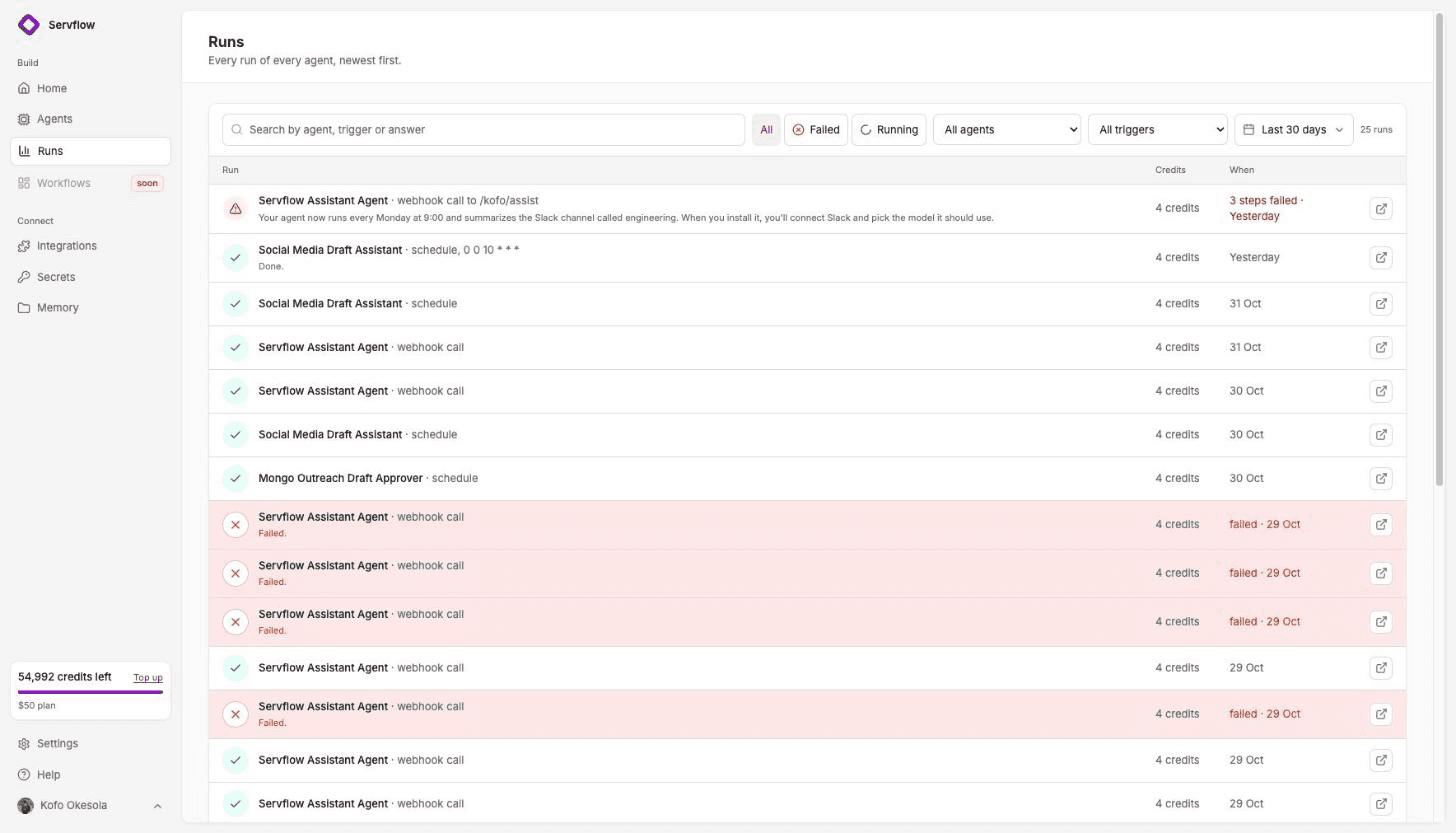
That is the difference I care about. On Zapier I estimated the month's tasks before it started. On Servflow each run shows what it cost, and the month cannot pass the plan without me deciding it should.
FAQ
Why is Zapier so expensive for a small team? Because the bill grows with every step of every run. A task is one action step that completes, and an AI by Zapier step costs 3 tasks on the default tier. Three everyday automations with one AI step each come to about 1,970 tasks a month, well past the 750 tasks on Professional at $29.99 a month.
What counts as a task on Zapier? An action step that completes successfully. Triggers, filters, paths and formatters are free, and failed actions do not count. An AI by Zapier step costs 1 task on Standard, 3 on Advanced, which is the default, and 5 on Premium, and from 15 June 2026 tool calls inside an AI step add tasks at the same rate.
What happens when I go over my Zapier task limit? With pay-per-task on, tasks past the limit are billed at a higher per-task rate that Zapier shows only in your billing settings, with a hard stop at three times your plan's task limit. With pay-per-task off, your Zaps stop.
Which Zapier plan does a five-person team need? For the sample month on this page, about 1,970 tasks, the Team plan from $69 a month billed annually with 2,000 tasks just covers it. Professional starts at 750 tasks, and the pricing page lists larger Professional task tiers whose price depends on the tier.
What does the same month cost on Servflow? 2,358 credits on a small model, 6,306 on a mid model and 15,584 on a large one, AI included. That is the $10 plan for the first two and the $25 plan for the third. 1 credit is $0.001, and credits stop at zero, so nothing is billed past your plan unless you top up.
Start free
4,000 credits once, no card, and every run shows what it cost. From $10 a month, AI at cost.
Related: Pricing · What an AI automation costs per run · Zapier alternatives for small teams · Make pricing: what an operation is · n8n Cloud pricing explained